
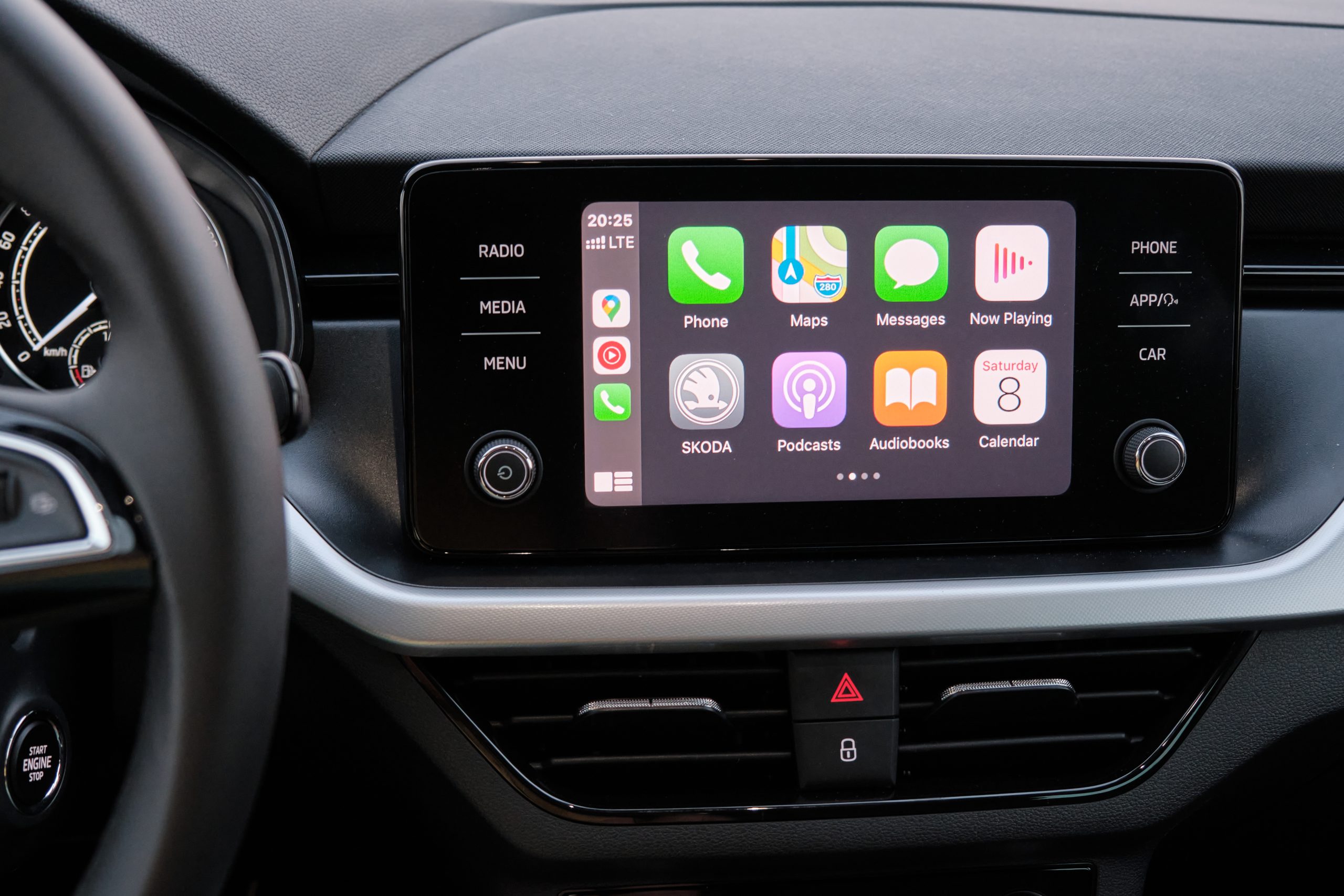
In today’s fast-paced world, staying connected while on the move is more crucial than ever. Whether it’s for seamless navigation, streaming your favorite tunes, or hands-free communication, integrating Apple CarPlay and Android Auto into your vehicle can transform your driving experience.
However, selecting the right head unit for your car isn’t always straightforward. From compatibility issues to understanding the tech jargon, making the right choice can feel daunting. In this guide, we’ll explore how to choose the perfect head unit and avoid common compatibility headaches.
Understanding CarPlay and Android Auto
What Are CarPlay and Android Auto?
Apple CarPlay and Android Auto are platforms that allow you to connect your smartphone to your car’s infotainment system. They enable you to access apps, make calls, send texts, and use navigation tools via your car’s display, ensuring a safer, more connected driving experience. Imagine driving through an unfamiliar city; with CarPlay or Android Auto, you can easily navigate through real-time traffic updates, find the nearest gas station, or even locate a good coffee shop—all without taking your eyes off the road.
Why Upgrade Your Head Unit?
While many new cars come with built-in CarPlay and Android Auto, older models require an upgrade. A new head unit can significantly enhance your car’s functionality, offering modern conveniences like voice control, navigation, and music streaming. It’s a worthwhile investment for any car enthusiast. For instance, if you’re accustomed to using your phone for everything, having these features integrated into your car’s dashboard can make a world of difference in convenience and safety.
Choosing Between Single DIN and Double DIN
Single DIN vs. Double DIN: What’s the Difference?
The terms “single DIN” and “double DIN” refer to the size of the car stereo’s faceplate. Single DIN head units are typically 2 inches tall, while double DIN units are 4 inches. Double DIN units often offer larger displays and more features, making them popular for CarPlay and Android Auto installations. If you’re someone who enjoys a larger display for easier navigation and controls, a double DIN might be more appealing. However, for vehicles with limited dashboard space, a single DIN might be the only option.
Which One Is Right for You?
Your choice between single and double DIN largely depends on your car’s dashboard space and your personal preference for features. Double DIN units generally offer a more extensive feature set, but single DIN units can be a better fit for cars with limited space. It’s crucial to measure your available space before making a purchase to avoid compatibility issues.
To prevent future frustrations, consider opting for a model that offers easy firmware updates. This ensures that your device remains compatible with the latest smartphone updates, which are frequent and can sometimes lead to unexpected incompatibilities.
Ensuring Car Stereo Compatibility
Understanding Your Car’s Wiring
Compatibility is crucial when upgrading to a CarPlay or Android Auto head unit. Before purchasing, check your car’s wiring and ensure that the new head unit is compatible with your make and model. This can save you time and frustration during installation. Imagine purchasing a high-end head unit only to find out it doesn’t fit your car’s wiring setup; it’s a headache that can be avoided with a little upfront homework.
Utilizing Maestro RR Integration
Maestro RR integration is an excellent tool for maintaining your car’s factory features while upgrading to a new head unit. It allows for seamless integration of steering wheel controls, factory amplifier systems, and other OEM features, ensuring a smooth transition. This means you won’t have to sacrifice factory features like climate control displays or steering wheel audio controls when upgrading.
In terms of preventative maintenance, regularly check for firmware updates for both your head unit and the Maestro RR module. Updates can fix bugs, improve performance, and add new features, ensuring your setup continues to function smoothly.
Navigating the Installation Process
Professional vs. DIY Installation
Once you’ve chosen your head unit, you’ll need to decide between professional installation or a DIY approach. While DIY can be cost-effective, professional installation, like that offered by Car Toys in Portland, OR, ensures a hassle-free experience and optimal performance. DIY installation might save you some money in labor costs, but without the right expertise, you risk damaging the unit or your car’s interior, leading to potentially higher repair costs down the line.
Post-Installation Tips
After installation, familiarize yourself with your new system. Adjust settings to suit your preferences and test all functionalities, including navigation, audio, and hands-free calling. This step ensures you’re getting the most out of your new head unit. Additionally, keep a small toolkit and user manual in your car for any unforeseen technical issues or adjustments.
Enhancing Your System with Additional Features
Adding a Backup Camera with CarPlay
Integrating a backup camera with your CarPlay system can significantly enhance safety and convenience. Ensure your chosen head unit supports this feature, and consider professional installation to maintain quality and reliability. A backup camera can be especially beneficial in crowded parking lots or tight urban spaces, providing an extra layer of safety for pedestrians and cyclists.
Exploring Other Advanced Features
Modern head units offer a plethora of advanced features. From advanced equalizers to built-in navigation, explore what your new system can do. This exploration helps you utilize the full potential of your upgrade. For example, some units offer customizable home screens, allowing you to prioritize the apps and features you use most frequently.
Selecting the Best Car Stereo Brands
Leading Brands to Consider
When selecting a new head unit, choosing a reputable brand is crucial. Brands like Pioneer, Kenwood, and JVC are renowned for quality and compatibility with CarPlay and Android Auto. They offer reliable performance and a wide range of features to suit different needs. Investing in a reputable brand not only ensures longevity but also provides better customer service and warranty coverage.
Making an Informed Decision
Research and read reviews before making a purchase. Customer feedback and expert reviews provide valuable insights into the performance and reliability of different units, helping you make an informed choice. Consider visiting local electronics stores to see demos of different models, offering a hands-on experience before you commit.
Avoiding Common Compatibility Issues
Common Pitfalls and How to Avoid Them
Compatibility issues can arise if you don’t do your homework. Check compatibility with your car’s make, model, and existing wiring. Opt for units that support both CarPlay and Android Auto if you switch between Apple and Android devices. Moreover, keeping your smartphone software up-to-date minimizes the risk of connectivity issues.
Seeking Expert Advice
When in doubt, consult with experts. Car Toys locations in Salem, Clackamas, Gateway, Tigard, and Beaverton offer professional advice and services to help you choose and install the perfect head unit without a hitch. Their expert insight can prevent costly mistakes and ensure you’re satisfied with your new system.
Transforming your car’s infotainment system with Apple CarPlay or Android Auto is an exciting upgrade that enhances your driving experience. By understanding the basics, ensuring compatibility, and seeking expert guidance, you can avoid common pitfalls and enjoy a seamless transition. Ready to upgrade? Contact Car Toys today to explore the best options for your vehicle.